
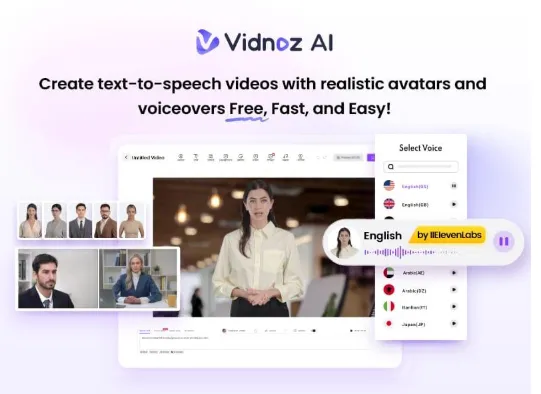
YouTube is one of the world’s largest video platforms, allowing users to share their content with a global audience. What makes it even more exciting is that creators can earn real income from their videos. Explainer videos are among the most viewed and profitable genres among the many popular content types on YouTube. These videos can gain millions of views and help creators generate income quickly.
This guide will introduce you to Vidnoz AI, one of the best online AI video generators. With Vidnoz AI, you can effortlessly create various video types, including powerful explainer videos. Read this guide until the end to learn how to create your high-quality explainer videos.
Part 1: Explainer Videos Made Easy: Powered by Vidnoz AI
Tools like Vidnoz AI leverage the power of artificial intelligence to create high-quality videos, including engaging explainer content. If you’re looking for a reliable solution for producing professional-looking explainer videos, Vidnoz AI is a top choice. Certified with ISO/IEC 27001, it ensures robust data privacy and security. The best part of this tool is that it offers an intuitive interface, which is best for non-tech and beginner users. Further, it offers different AI tools to enhance the video creation experience, including AI Video Enhancer, Online Video Editor, AI Voice Changer, AI Headshot Generator, and more.
Vidnoz AI is a web-based tool, meaning no software download or installation is required to use the program. It also supports all devices, such as Android, iOS, macOS, and Windows.
Part 2: Why Vidnoz AI is Best for Creating Explainer Videos?

The program comes packed with an impressive set of features that simplify the video creation process. Here are some of the standout features and capabilities it offers:
- Pre-Designed Templates: The program offers 2800+ templates, allowing users to create different types of videos, including How-to Guides, Explainer Videos, Social Media Posts, Product Demos, and more. These templates are fully customizable, helping you save time while ensuring a high-quality look.
- Lifelike Avatars: Vidnoz AI offers 1500+ AI Avatars, each with a “Head Pose and Expression Control” feature. The program offers avatars of teachers, students, customer support, policemen, and more. Plus, you can create your digital avatar using Avatar Lite and enjoy free access for 7 days.
- High-Quality AI Voices: It offers 1380+ AI voices in 140 languages, each with unique accents and characteristics. All voices are powered by ElevenLabs, Microsoft, and Google. Additionally, content creators can select from a diverse range of voice styles, sentiments, and emotions to perfectly match their video’s intended tone and style.
- Conversation Mode: The program’s dual-avatar mode allows users to create two avatars to talk with each other in a scene and edit dialogue scenes freely. It also helps you create explainer videos in AI conversation mode to gain more attention on social platforms like YouTube.
- AI Video Wizard: Sometimes, video creation can be time-consuming. However, with Vidnoz AI, you don’t have to worry. It provides an AI Video Wizard, allowing users to create videos with a single prompt.
- Affordable and User-Friendly: Vidnoz AI offers a free version, allowing users to create 3-minute videos at no cost, making it an excellent budget-friendly option. Its intuitive, user-friendly interface makes it the perfect choice for beginners and non-technical users.
- Compatibility: Vidnoz AI is a web-based tool that allows users to create videos without downloading or installing software. It supports all browsers, such as Google Chrome, Firefox, Internet Explorer, and more. Plus, it is compatible with all devices, such as Android, iOS, Windows, and macOS.
Part 3: How to Create Explainer Videos With Vidnoz AI?
Follow the step-by-step guide mentioned below to create high-quality explainer videos with Vidnoz AI:
Step 1: Choose the Template and Avatar
Go to Vidnoz AI’s official site and log in with your account. Choose AI Video Generator and select the avatar and template for your Explainer video. Users can also create various types of videos, such as how-to guides and product demos.

Step 2: Input Prompt and Select AI Voice
Vidnoz creates videos using Text-to-Video technology. You input your video prompt and select the AI voices to do so. Users can also choose the video language.

Step 3: Customize AI Video
Once you have completed all the requirements, you can customize the AI video using the online video editor. This intuitive tool lets you change the background, add text, insert music, and apply various enhancements to make your video unique and professional.

Step 4: Preview and Download
Finally, click on the Generate button to begin the video creation process. Once the video is generated, preview it and tap “Download” to export it to your desired format.
Part 4: Final Thought
If you want to create high-quality explainer videos, Vidnoz AI is the best option. It provides amazing video creation tools, allowing users to create videos without professional help or editing skills. It offers thousands of AI voices, avatars, and templates.