
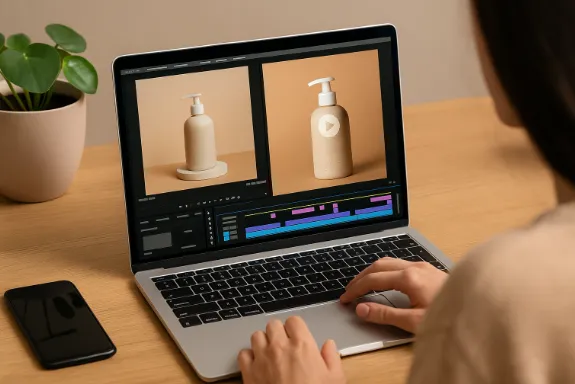
Artificial intelligence has transformed how content creators and businesses approach video and photo editing today. From automating repetitive tasks to offering smart design suggestions, AI plays a growing role in making visual content more dynamic and accessible. This shift is particularly relevant in digital marketing strategies, where AI search engines and automation solutions now influence how brands connect with their audience across platforms.
If you have product photos ready and want to boost their impact, creating videos from them can be a simple, effective strategy. Videos consistently outperform static images on social media platforms like TikTok, Instagram, and Facebook, especially for product showcases, brand storytelling, and promotional content. Thanks to modern AI tools, turning images into videos no longer requires complex software or hours of manual editing.
Why Turning Product Photos into Videos Matters
When you share product photos, you’re limited to a single frame of information. Videos, however, allow you to show multiple angles, highlight features, and tell a story in a more immersive format. In social media marketing, this approach grabs more attention and improves engagement.
For e-commerce businesses, especially, product videos can lead to higher click-through rates and conversions. Viewers often find video content more trustworthy and informative, which directly impacts online sales.
How AI is Making Video Creation Easier
You no longer need a professional editing team to create polished product videos. AI-powered platforms simplify the process by offering workflows, transitions, effects, and even voiceovers, all customizable in minutes.
AI video tools can automatically animate still product images, add text overlays, sync music, and suggest design elements that fit current trends. These platforms are especially helpful if you manage frequent social media content updates, promotions, or ad campaigns.
Steps to Turn Your Product Photos into Videos Using AI
Let’s divide the procedure into doable steps that you can adhere to:
1. Collect Your Product Images
Start by gathering high-quality photos of your product. Ensure consistency in lighting, angles, and background to maintain a professional look throughout the video.
2. Choose an AI Video Creation Tool
Several platforms offer what’s called image to video AI functionality. One such example is invideo AI, which allows you to upload your product images and automatically turn them into videos with advanced deep-learning models, diffusion technology, and computer-vision tracking to transform static images into smooth, realistic clips. Platforms like these streamline the process so you can focus on customization rather than technical setup.
3. Customize Video Elements
Choose a procedure that complements your brand style after your photos have been uploaded. Adjust elements like:
- Text captions for product names or features
- Color schemes to match your branding
- Music and sound effects
- Logo placement
This is where AI platforms such as invideo AI really help by offering smart suggestions based on your input.
4. Preview and Export
Make sure everything works properly by previewing your video before publishing. Most AI tools allow you to make quick adjustments before exporting the final version. Export formats are typically optimized for platforms like TikTok, Instagram Stories, Facebook ads, and even YouTube Shorts.
5. Share on Social Media and E-Commerce Platforms
Now that your product video is ready, upload it across your social media channels. Videos perform especially well in:
- TikTok product showcases
- Instagram Reels and Stories
- Facebook ads
- Shopify or Amazon product pages
Video content doesn’t just boost engagement; it supports your broader digital marketing strategy, especially with AI search engines favoring dynamic content in search rankings.
Using Apps for Streamlined Workflow
You might wonder how all of this fits into your existing content creation workflow. The answer lies in integrating AI video apps that handle most of the heavy lifting. These apps allow batch processing, workflow saving, and cross-platform sharing, making your social media marketing more efficient without sacrificing quality.
Whether you’re working solo or as part of a marketing team, these AI-driven solutions let you focus on strategy and storytelling rather than spending hours on video editing tasks.
Social Media Marketing and Business Growth
Turning product photos into engaging videos is no longer just a design choice; it’s a smart business decision. For small businesses and growing brands, social media marketing powered by AI tools can bridge the gap between limited resources and high-quality content output.
By using image to video AI, you can create promotional videos, highlight product features, or craft compelling brand stories, all contributing to better visibility and sales growth.
Boosting Online Sales with AI Product Videos
In e-commerce, product videos often make the difference between a visitor and a customer. Videos allow potential buyers to better understand the look, feel, and use of a product before purchasing. That trust and clarity translate into higher conversion rates.
When combined with automation solutions and AI search engines that prioritize multimedia content, these product videos can bring a noticeable increase in website traffic and sales performance.
By following these steps and utilizing AI tools, you can efficiently turn your product photos into dynamic, engaging videos that resonate with your audience. Whether you’re targeting TikTok users or optimizing Facebook ads, this approach empowers your brand with professional-looking content without requiring advanced editing skills.
From product showcases to brand storytelling, image to video AI helps you elevate your marketing efforts while staying in tune with modern content consumption habits. As AI continues transforming video creation, it’s a resource worth exploring to keep your business competitive and relevant in today’s digital landscape.