
Audio piles up faster than most people expect. Meetings get recorded. Interviews turn into MP3 files. Lectures and YouTube talks are saved with the idea of revisiting them later. The problem is not creating audio. The problem is extracting value from it.
Raw audio is slow to work with. You cannot skim it. You cannot search for it. You cannot easily quote it. MP3 to Text exists to solve that exact friction. After using Audio Converter AI across different formats and scenarios, its MP3 to Text feature proves to be built for real workflows, not demos.
Why MP3 to Text Still Matters
Audio is convenient when you speak. Text is efficient when you think.
Once audio becomes text, it becomes flexible. You can scan it, reorganize it, highlight key points, or reuse it in other formats. Without transcription, audio remains locked in time. With MP3 to Text, it becomes searchable knowledge.
This is why MP3 to Text is not just a feature for creators. It is a productivity tool for anyone dealing with spoken information.
What Audio Converter AI MP3 to Text Supports
One of the biggest advantages of Audio Converter AI is input flexibility. Real-world content does not come in one neat format, and this tool reflects that reality.
Supported Audio and Video Sources
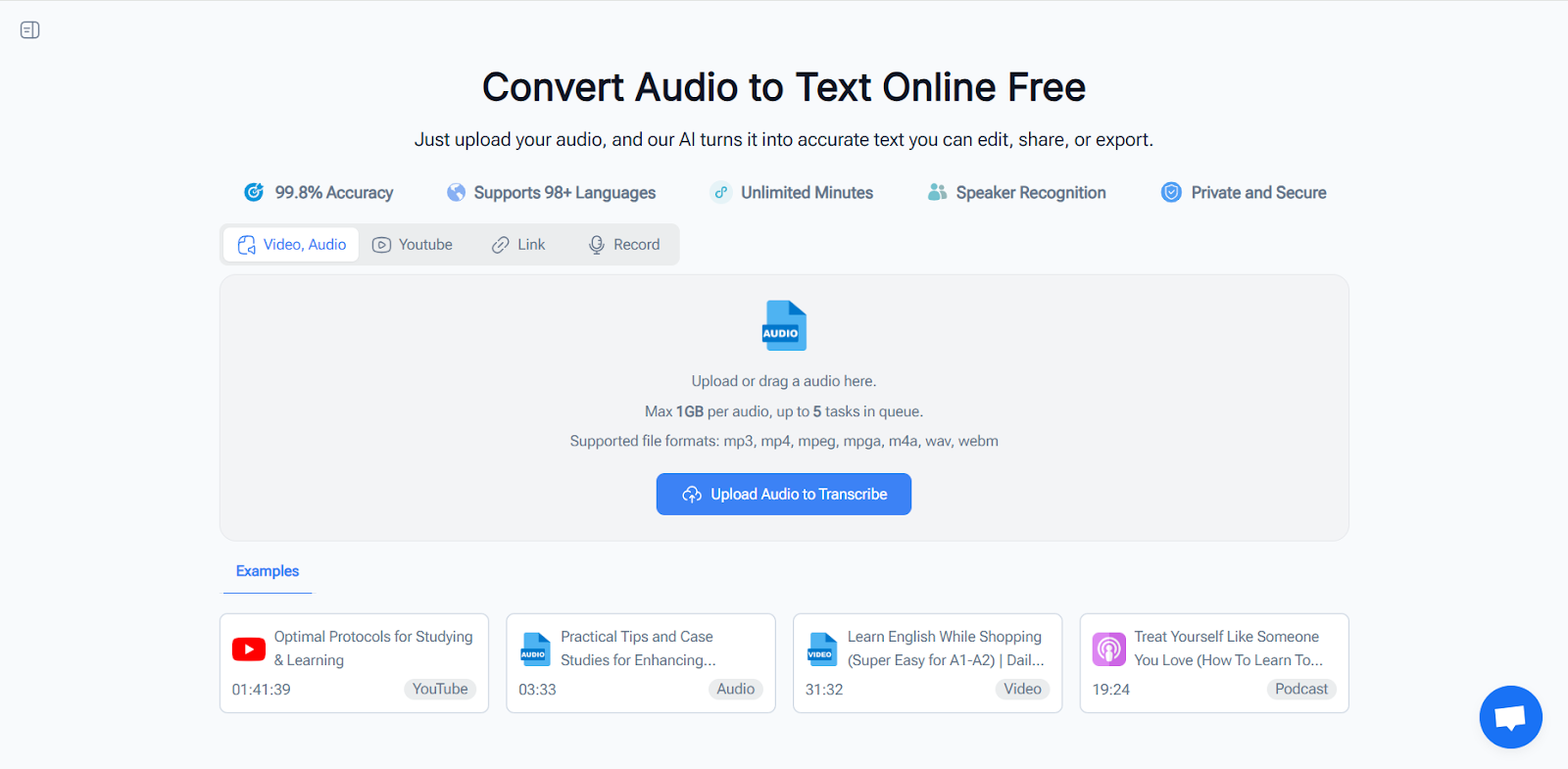
Audio Converter AI MP3 to Text works with:
- MP3 and other common audio formats
- Video files containing spoken audio
- YouTube videos via direct links
- Recorded audio from meetings or mobile devices
All of these go through the same transcription workflow. You do not need separate tools depending on where the content comes from.
Uploading MP3 Files
Uploading an MP3 is simple. Select the file, start the transcription, and wait for the result. The process does not interrupt you with unnecessary configuration.
More importantly, the tool handles imperfect audio well. Background noise, uneven volume, and natural speech patterns do not break the output. The resulting text is readable and usable without heavy cleanup.
Transcribing Video Files
For video content, there is no need to extract audio beforehand. You can upload the video directly and let Audio Converter AI handle the rest.
This is particularly useful for recorded meetings, lectures, or interviews that were never prepared with transcription in mind.
YouTube MP3 to Text Conversion
YouTube transcription is handled through a simple link input. Paste the URL and generate the transcript.
Accuracy That Prioritizes Meaning
Perfect transcription is less important than usable transcription. Audio Converter AI MP3 to Text focuses on clarity and structure rather than obsessing over filler words.
Readable Output Over Verbatim Noise
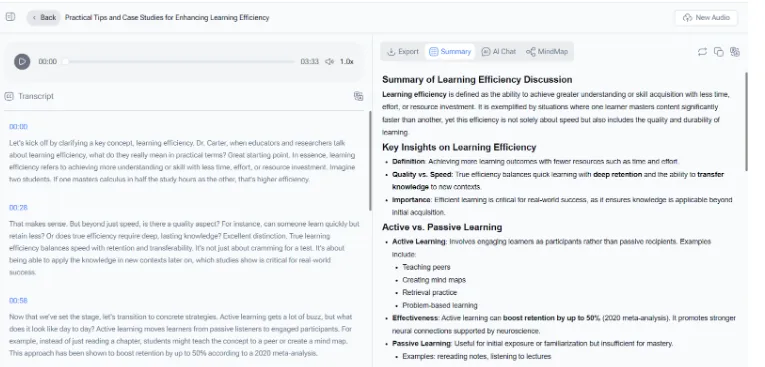
The transcripts read naturally. Sentences are easy to follow, and the overall flow makes sense even in conversational recordings. This reduces editing time and makes the text suitable for direct use.
Handling Multiple Speakers
In conversations and interviews, speaker separation is handled well enough to follow who is talking. This is essential for meetings, research interviews, and collaborative discussions.
Long Recordings Without Failure
Long audio files are where many MP3 to Text tools struggle. Audio Converter AI handles extended recordings reliably and produces transcripts that remain skimmable from start to finish.
Turning Transcripts Into Usable Work
Transcription is only valuable if the text is actually used afterward.
Once audio is converted using Audio Converter AI MP3 to Text, the content becomes easy to work with. You can:
- Extract meeting summaries
- Turn interviews into articles
- Create study notes from lectures
- Quote spoken content accurately
- Translate or repurpose material
Instead of replaying audio repeatedly, you work directly with text. That change saves time immediately and compounds over time.
Who Benefits Most From Audio Converter AI MP3 to Text
This tool fits naturally into workflows where audio is frequent and time matters.
Content Creators
Podcasts, interviews, and video content can quickly be turned into written material without manual transcription.
Students and Educators
Recorded lectures and lessons become searchable study resources instead of passive recordings.
Researchers and Analysts
Interviews and discussions are transformed into structured text that can be reviewed and referenced efficiently.
Teams and Professionals
Meetings and internal discussions become documented knowledge rather than forgotten recordings.
Why a Simple Workflow Makes a Difference
Audio Converter AI(https://audioconverter.ai/) avoids unnecessary complexity. The interface focuses on the core task: converting audio to text.
This simplicity keeps attention where it belongs—on the transcript itself. You spend less time managing tools and more time extracting value from the content.
Conclusion
Audio Converter AI MP3 to Text(https://audioconverter.ai/mp3-to-text) does exactly what it should. It accepts audio files, video files, YouTube links, and recordings in one place. It produces clear, readable transcripts. It handles long content without breaking workflows.
If spoken content is part of how you work or learn, this tool turns audio into something you can actually use. That is the real value of MP3 to Text.