
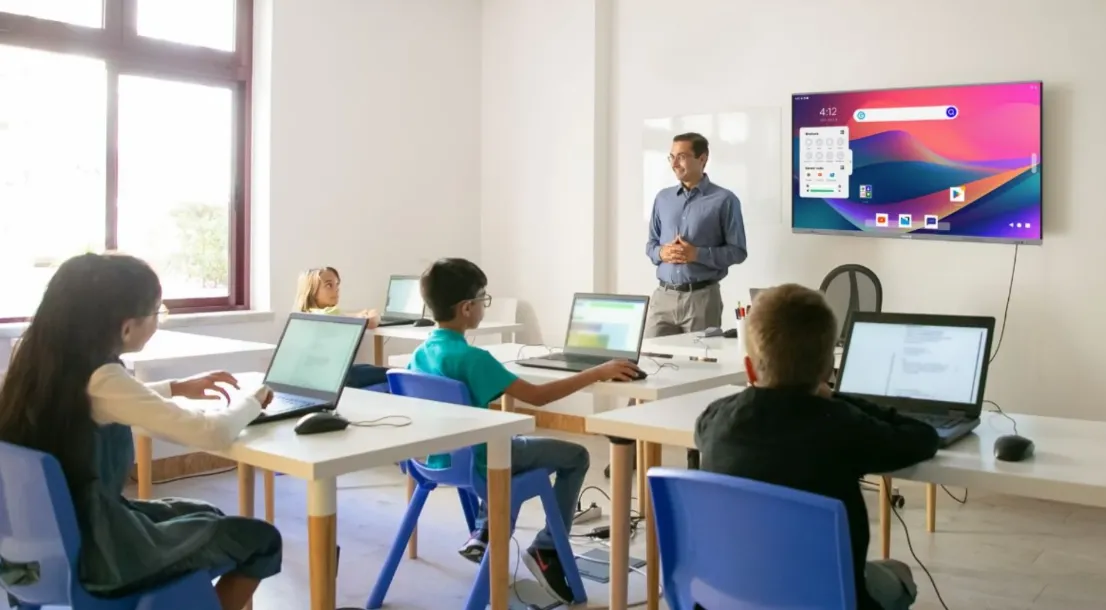
Teaching is one of the most rewarding professions—but it’s also one where resources can be limited. Many educators are expected to deliver engaging, high-quality lessons while managing shrinking budgets and growing workloads. Fortunately, digital innovation has made it possible for teachers to access professional-grade tools at little to no cost.
From interactive learning platforms to creative design software, today’s online resources help teachers save time, streamline classroom management, and elevate student engagement. This article explores the best low-cost online tools that make teaching more effective, creative, and affordable—so educators can focus on what truly matters: inspiring their students.
1. Google Workspace for Education: The Free Productivity Powerhouse
When it comes to free, efficient, and collaborative teaching tools, Google Workspace for Education stands in a class of its own. It integrates familiar apps—like Docs, Sheets, and Slides—into a secure environment designed for schools. Teachers can manage assignments, host virtual lessons, and collaborate with students seamlessly.
Why It’s Essential:
- Free for educators and students
- Real-time document collaboration and commenting
- Integration with Google Classroom for assignment tracking
- Secure cloud storage for easy access anywhere
Pro Tip: Create shared folders for each class period or subject. Organizing resources this way helps students locate materials quickly and keeps your workflow structured. Bonus: Google Forms doubles as a quiz builder and quick feedback collector.
2. Edmodo: A Safe Digital Classroom Community
Edmodo offers teachers an affordable, easy-to-use virtual classroom platform where communication and collaboration thrive. It’s a social learning network that allows educators to post assignments, share resources, and interact safely with students and parents.
Key Benefits:
- Simple assignment distribution and grading
- Secure messaging between teachers, students, and parents
- Built-in discussion forums to encourage participation
- Free to use with optional paid upgrades
Pro Tip: Use Edmodo polls to start class discussions or gauge understanding before a lesson. It’s a simple way to give students a voice while gathering useful insights for tailoring future lessons.
3. Kahoot!: Learning Through Play
Engagement is one of the biggest classroom challenges, and Kahoot! solves it with game-based learning. Teachers can turn lessons into quizzes, polls, and challenges that make learning fun while reinforcing core concepts.
Why It’s a Teacher Favorite:
- Free and premium plans with classroom-friendly pricing
- Real-time participation from students’ devices
- Data analytics to track learning outcomes
- Suitable for in-person and remote instruction
Pro Tip: Use Kahoot! to review lessons before tests or to spark curiosity with trivia challenges. Pair it with quick discussions afterward to reinforce what students learned in a playful setting.
4. Trello: Organize Your Lessons Like a Pro
Planning lessons, grading assignments, and keeping up with deadlines can be overwhelming. Trello helps teachers stay organized through visual boards, lists, and cards that make task management intuitive and stress-free.
Top Features:
- Free plan with unlimited boards and lists
- Visual workflow tracking for lesson plans
- Collaboration with co-teachers or administrators
- Integration with Google Drive and Slack
Pro Tip: Create separate Trello boards for lesson planning, grading, and parent communication. You can color-code tasks by priority and use automation features (“Butler”) to send reminders or move completed cards automatically.
5. Quizlet: Simplify Studying and Review Sessions
Quizlet helps teachers create digital flashcards, quizzes, and study games that make reviewing fun and effective. With millions of user-generated study sets, it’s an invaluable tool for saving time and reinforcing key concepts across subjects.
Why Teachers Love It:
- Free for basic use with optional affordable upgrades
- Auto-generated quizzes from custom flashcards
- Games like “Match” and “Gravity” for interactive learning
- Tracks student progress over time
Pro Tip: Encourage students to collaborate by creating shared class study sets. This not only boosts participation but also helps them learn from one another’s perspectives and strategies.
6. Screencastify: Record, Teach, Repeat
For hybrid or flipped classrooms, Screencastify is a game-changer. This low-cost video tool lets teachers record their screens, webcam, or both—ideal for creating tutorials, feedback videos, or substitute lesson plans.
Why It’s Worth Using:
- Free plan with basic features; paid upgrades for longer recordings
- Easy integration with Google Drive and Classroom
- Built-in editing and annotation tools
- Perfect for asynchronous instruction
Pro Tip: Use Screencastify to record quick “how-to” videos for recurring student questions. It saves you time, ensures consistent explanations, and supports visual learners who benefit from step-by-step visuals.
7. Padlet: Build Interactive Learning Walls
Padlet helps teachers create interactive digital boards where students can post ideas, reflections, or projects. Think of it as a virtual corkboard that encourages creativity and collaboration, whether you’re in-person or online.
Why It’s Valuable:
- Free plan with limited boards; affordable upgrades
- Supports text, video, images, and links
- Real-time collaboration from any device
- Ideal for brainstorming or project showcases
Pro Tip: Use Padlet as a “Student Gallery” where learners display their work. It builds community and gives students a sense of pride seeing their contributions alongside peers.
8. ClassDojo: Building a Positive Classroom Culture
ClassDojo blends communication, engagement, and behavior management into one free platform. Teachers can share updates, award digital points, and communicate directly with parents—all in a fun, gamified environment.
Key Advantages:
- Free access for teachers, students, and parents
- Customizable behavior tracking system
- Integrated photo and video sharing
- Encourages positive reinforcement and transparency
Pro Tip: Use ClassDojo’s “Student Portfolios” to highlight progress and achievements. When parents can see their child’s growth visually, it strengthens the home-school partnership and encourages student accountability.
🧑🏫 FAQ: Creative Card Design Ideas for Teachers
Beyond digital tools for teaching, many educators enjoy creating personalized classroom materials—like reward cards, thank-you notes, and holiday greetings. Designing your own cards adds a personal touch to communication and classroom culture. Below are common questions teachers have about card design, along with practical insights to help you design professional-quality materials without spending much.
Q1. What’s the easiest way for teachers to design classroom cards online?
A great starting point is Adobe Express, which offers easy-to-use templates and customization options for teachers. You can print online cards directly from the platform or download them for printing at school. With drag-and-drop editing, teachers can create reward cards, event invitations, or thank-you notes quickly—no design experience needed.
Q2. Are there budget-friendly tools for creating printable cards?
Yes! In addition to Adobe Express, platforms like Vistaprint and Zazzle offer affordable design-to-print services. They frequently run educator discounts and allow you to order in bulk for classroom use. Both sites also provide eco-friendly paper options—a great choice for sustainability-conscious schools.
Q3. How can teachers personalize cards for students or colleagues?
Personalization adds warmth and meaning. Include each student’s name, achievements, or even classroom jokes to make the card memorable. Tools like Adobe Express and Greetings Island allow you to upload photos, school logos, and custom text fields. Consider using your school’s colors or mascot to unify your design with your classroom’s identity.
Q4. What are the best design tips for educational or motivational cards?
Keep your design simple but engaging. Use bright colors, legible fonts, and positive imagery like stars or books. For motivational cards, short affirmations like “You Did It!” or “Keep Shining!” work best. Many teachers also find success using icons or clip art relevant to subjects—math symbols for math rewards or pencils for writing recognition.
Q5. Can I create both digital and printed cards for my classroom?
Absolutely. Tools like Adobe Express and Zazzle allow you to design once and export in multiple formats—printable or digital. You can send e-cards for virtual celebrations or print physical versions for classroom use. This flexibility makes it easy to maintain a cohesive design while reaching students and parents across different settings.
Teaching in the digital age doesn’t have to mean spending more—it means teaching smarter. Low-cost tools like Google Workspace, Quizlet, Adobe Express, and Kahoot! help teachers save time, boost creativity, and engage students without draining budgets.
By blending innovation with practicality, educators can transform lessons, communication, and classroom culture. These tools empower teachers to focus on growth, not limitations—proving that meaningful learning doesn’t require expensive technology, just thoughtful use of the right tools.
In the end, it’s not about how much you spend—it’s about how effectively you connect, inspire, and help students succeed.