
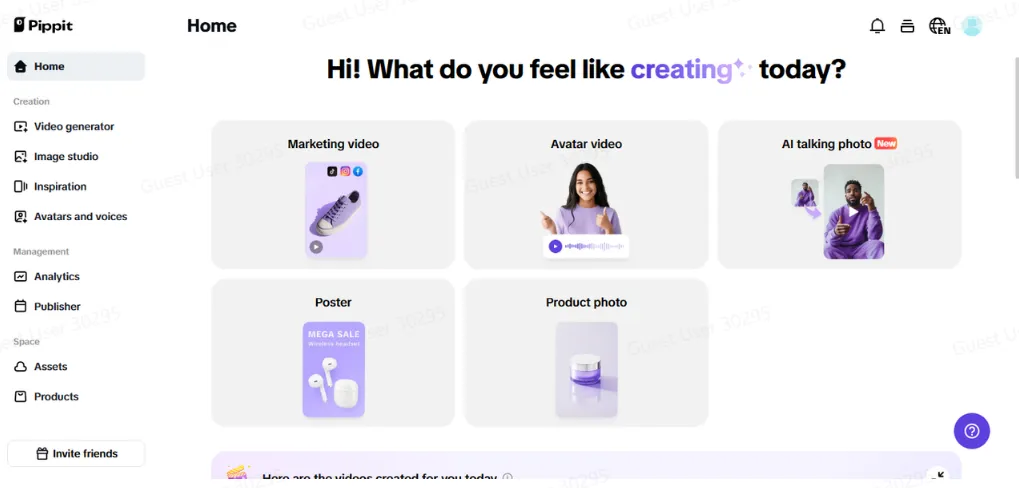
There’s no need to carry around green screens, heavy lighting rigs, and huge backdrop stands when your video can be anywhere, anytime. Want to shoot your skincare ad in a modern-day spa, tape your how-to series from a fairy-tale castle, or feature your products in a romantic, soft-lit kitchen? With Pippit’s AI background generator, you and other creators can turn messy visuals into bespoke, scroll-stopping worlds.
Your living space can be a mess, but your content doesn’t have to be. Pippit puts you in the driver’s seat of your backdrop, allowing you to change aesthetics with the tap of a button. Bounce between surrealism, corporate sophistication, pop-art chaos, or cottagecore serenity at will. It’s not just visual cleanup, it’s narrative on an entirely different level.
Why every vibe has its own scene
Your background atmosphere conveys half the story before you utter a word. A product tutorial shot over a cosmic dreamscape versus one produced in a mock marble showroom feels totally different. And for creators working on many different niches, fashion hauls, technology reviews, character studies, it’s crucial to shape each post’s setting to fit its mood.
With the AI background generator, each aesthetic can live and breathe in its own visual universe. The tone, theme, and energy are built directly into the image, acting as the invisible but undeniable aura that captures attention mid-scroll.
When Backgrounds Become Branding
The appropriate backdrop doesn’t merely enhance your content, it establishes it. A comfortable café environment provides warmth to product critiques, whereas a shiny, minimalist studio exudes confidence and definition. Logos are not merely about looks, it’s about creating a consistent, memorable identity for each post.
What makes a background “work”?
Let’s break it down:
- Fantasy themes immerse viewers in surrealism or wonder, ideal for storytelling, cosplay, or poetic content.
- Corporate-themed backdrops establish professionalism and gravitas, ideal for business reels or explainers.
- Cafe-, kitchen-, or studio-apartment-inspired settings bring a sense of naturalness to product placements or influencer videos.
Now that you’ve been fantasizing about your next scene change, let’s walk through exactly what you can do to make it happen.
Step 1: Upload pictures from links or your computer
Begin by logging into Pippit and going to the left sidebar where the magic is. Click Image Studio and select AI Background under ‘Quick Tools.’ Simply drag and drop any product photo, selfie, or video still right into the workspace. Or click on ‘Device‘ to load your media directly from your desktop or mobile phone.
Step 2: Customize image background and content
Once they’re uploaded, your original background will disappear, wiped out with the accuracy only AI can achieve. You’ll have your subject perfectly covered, waiting for a new destination.
That’s where the style options truly come into play: Press ‘Preset’ to visit pre-made scenes designed for eCommerce, lifestyle, or surrealist themes. Choose ‘Reference’ if you have your own background stored—a smart hack if you need a uniform brand background across products.
In a hurry for a marketing asset? Go into ‘Sales Poster’ mode and have the system position your product like a photographer.
Step 3: Export your images
Once you’re happy with the scene you’ve conjured, it’s time to save your final masterpiece. Click Download in the top right corner of the interface. From there, select your desired file format (PNG or JPG), set the image ratio, and opt for a watermark or no watermark.
Sharpen your story with an intuitive video cutter
There’s a difference between just posting a video and posting a video that lands. In the era of endless scrolling, the secret ingredient is precision — and that’s exactly what a powerful video cutter delivers. Think of it as your editing scalpel: you slice out the fluff, awkward pauses, and irrelevant tangents, leaving only the moments that grip, spark, and convert.
With Pippit’s video cutter, creators of all kinds — from vloggers and coaches to product reviewers and brand marketers — can trim videos down to the essential story beats that matter. Want to remove that rambling intro? Gone in seconds. Need to chop a single highlight from a longer piece? Easy. By tightening every scene, you keep your audience leaning in, not tuning out.
Endless looks, no mess
Those days are behind us when content creators required a separate room—or city—for each concept. With Pippit’s background generator, you have:
- Smooth vibe changes without location updates.
- Brand-consistent visuals for each niche you venture into.
- The ability to reimagine aesthetics in real time.
Whether you’re shooting your weekly book review in a mountaintop library amidst fog or making your candle business a lifestyle shoot with beach settings, it’s all done in one click.
Behind the scenes becomes the scene
Some of the best creators on the internet are combining transparency with sly design. Displaying a ‘before-and-after’ of their background swaps, posting time-lapses of editing on Pippit, or creating tips on aesthetic matching, this type of behind-the-scenes posting generates trust and increases engagement. Your audience doesn’t simply enjoy your content, they enjoy the way you create it
Build a world, not just a brand
In the content economy, storytelling reigns. And storytelling isn’t only about words, it’s about the images you associate with them. When your space complements your tone, message, and energy, each frame has more punch.
Don’t accept cluttered walls, piles of laundry, or empty corners. With Pippit, you can design digital sets that make your message stand out and your feed memorable. Up for giving your content the studio feel without taking out a loan for a light or a backdrop? Test Pippit’s AI-powered background generator today and begin constructing worlds as distinctive as your voice.